
Comparing capacity and price is only one aspect of selecting the best storage. Your computer’s performance, including power consumption and dependability, depends on the sort of storage it utilizes. The two primary storage solutions to think about are solid state drives (SSDs) and hard disk drives (HDDs). Here is a quick explanation on how to compare each and the optimum use for each.
Advertisement
What Is an HDD?
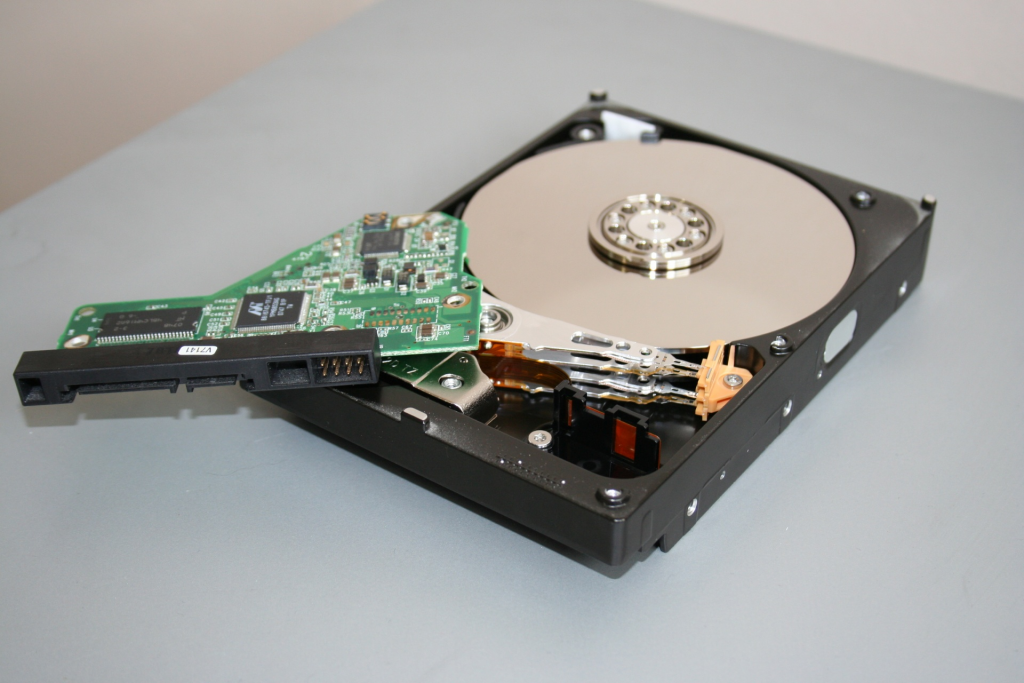
An HDD is a computer’s internal data storage component. It contains rotating disks that store data magnetically. Data is read and written to the disk by the HDD’s arm’s many “heads” (transducers). The operation is comparable to that of a turntable record player, which uses an LP record (hard disk) and an arm with a needle (transducers). To access various types of data, the arm moves the heads across the disk’s surface.
Since HDDs have been in use longer than SSDs, they are regarded as a legacy technology. They are generally less expensive and useful for data that is not frequently accessed, like backups of pictures, videos, or business information. They come in two popular form factors: 3.5 inch and 2.5 inch, which are frequently found in laptops (desktop computers).
What Is an SSD?
Advertisement
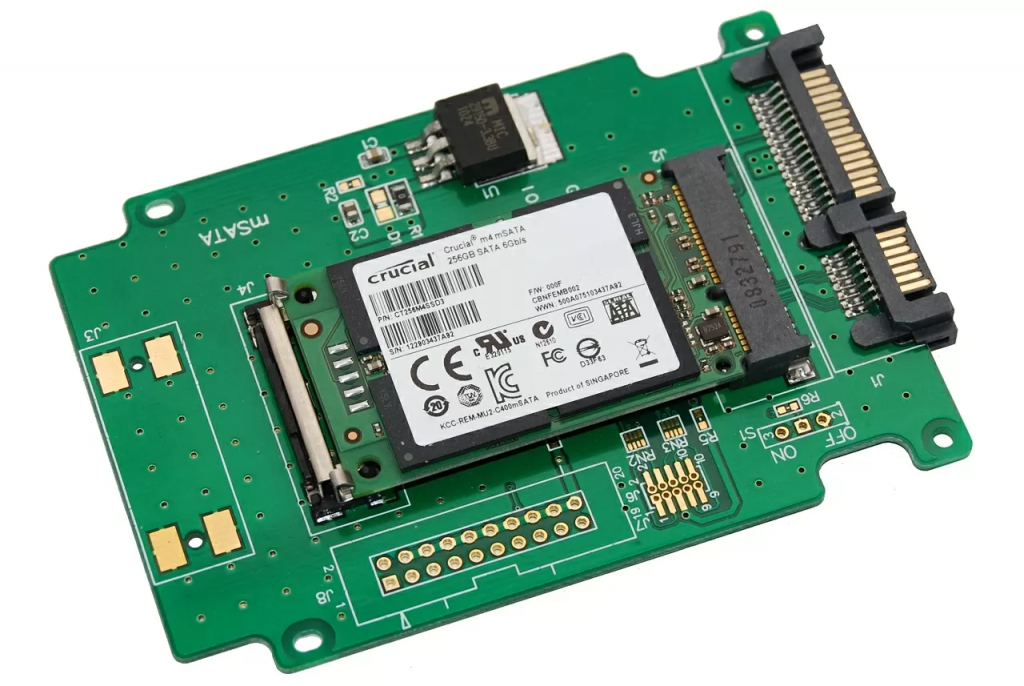
Solid state drives (SSDs) are the internal components that give them their name. All of the data is kept on integrated circuits in an SSD. Numerous ramifications arise from this distinction from HDDs, particularly in terms of space and performance. SSDs can shrink to the size and shape of a stick of gum (the M.2 form factor) or even as small as a postage stamp without the need for a spinning disk. They can carry different amounts of data, which makes them adaptable for smaller devices like compact laptops, convertibles, or 2-in-1s. Additionally, since users don’t have to wait for platter rotation to begin, SSDs significantly cut down on access times.
Advertisement
In terms of price per gigabyte (GB) and terabyte (TB), SSDs are more expensive than HDDs, although the difference is shrinking as SSD prices fall more quickly than HDD prices each year.
Advantages and Disadvantages of SSDs and HDDs
Affordable and older systems still use hard drives, but SSDs have taken over in mainstream systems and high-end laptops like the Apple MacBook Pro, which does not even have a selectable option for a hard drive. On the other hand, HDDs will still be available in desktops and less expensive laptops, at least for the foreseeable future.
Advertisement
Having said that, both SSDs and hard drives perform the same function: they store your apps and personal files and boot your system. But every kind of storage has its own distinct qualities. Why would you choose one over the other and how do they differ?
Hdd vs Ssd Maximum and Common Capacities
Consumer SSDs with capacities beyond 2TB are difficult to find and expensive. As primary drives in systems, 500GB to 1TB units are more prevalent. Although 500GB is currently the standard hard disk size for high-end laptops, cheaper SSD-based systems may only offer 128GB or 256GB due to cost considerations.
Advertisement
Since high-end computers come with 1TB to 8TB drives, those with large media collections or content creators would need even more. In general, the more storage space you have, the more things you can store on your PC. While local storage is less expensive and requires a one-time purchase rather than subscription, cloud-based storage may be useful for hosting files you intend to distribute among your smartphone, tablet, and PC.
Hdd vs Ssd Speed
SSDs excel in this situation. A PC with an SSD will boot up much faster, frequently in only a few seconds. A hard drive takes some time to reach operational specifications, and it will always be slower than an SSD in everyday use. An SSD-equipped PC or Mac starts up quicker, launches and runs software more quickly, and transfers files more quickly. Your computer’s increased speed could mean the difference between finishing on time and being late, whether you’re using it for work, school, or enjoyment.
Advertisement
Hdd vs Ssd Form Factors
Hard drives can only be made as tiny as their spinning platters will allow because of this. The development of smaller 1.8-inch spinning hard drives stalled years ago at 320GB or more, and smartphone makers now only employ flash memory as their main storage.
SSDs don’t have this restriction, therefore they can get smaller with time. SSDs come in 2.5-inch laptop drive sizes, but that is primarily so they can fit easily into existing drive bays. However, they are rapidly switching to the M.2 form factor, and these drives are available in lengths of 42mm, 60mm, 80mm, and 1Reliability and Durability
Read
Windows 11 vs. Windows 10: What Are the Real Differences?
Hdd vs Ssd Reliability and Durability
Since an SSD has no moving parts, it is more likely to protect your data if your laptop bag is dropped or your system is disturbed while it is in use. When the system is off, the read/write heads of the majority of hard drives are parked. Nevertheless, when they are in use, the heads are flying over the drive platter at a distance of a few nanometers. In addition, parking brakes have limitations. An SSD is suggested if your equipment is subjected to abuse.
Advertisement
HDD vs SSD: Noise and Power
Even the most silent hard drive makes some noise when it is operating. (The reading arm moves back and forth while the drive platters spin.) Hard drives that are faster generally produce more noise than ones that are slower. SSDs are mechanically silent and produce no sound at all.
Additionally, an SSD doesn’t have to use energy to spin up a platter from a stop. As a result, the SSDs are more effective because none of the energy they use is lost as noise or friction. That will result in a decreased energy bill on a PC or on a server. You can extend the battery life of a laptop or tablet by a few more minutes (or hours).

Leave a comment