
Fix iPhone Overheating Issue! Regardless of the iPhone being used, many iPhone owners experience the overheating issue. You may have noticed the iPhone getting warmer by the second whenever it is used nonstop for activities like gaming, talking, watching high-definition videos, etc. The iPhone overheating could potentially result in serious damage. Along with a rise in temperature, other signs of iPhone overheating include the inability to charge the device, a malfunctioning or disabled camera, and a dimming screen or display. If this iPhone overheating issue is ignored, the device is likely to sustain major damage that will disrupt its use. Fortunately, this iPhone overheating problem may be fixed with the right advice. Here are best solutions to the iPhone overheating problem.
Advertisement
1. Let it Cool
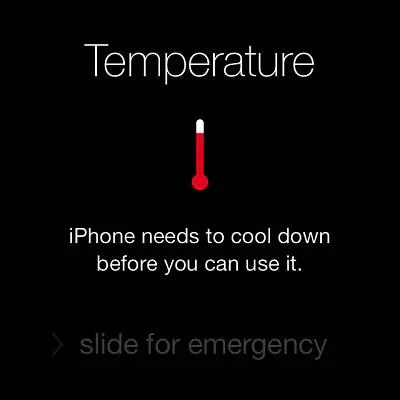
Allowing the iPhone to cool off, regardless of the temperature, is the first step to take whenever an overheating issue with an iPhone arises. Typically, a notification or pop-up may appear to warn you that the iPhone may overheat.
- he iPhone must be switched off so the function may not fuel additional iPhone overheating.
- Remove the iPhone case and put the device on a table or some other flat surface, which will help the iPhone cool down.
- It is better not to hold the iPhone in your hand while it is overheating.
- Also, try to move the iPhone to a place where it can receive some cool shading.
Advertisement
2. Take precaution and avoid the heat
It is preferable to be safe than sorry when it comes to potential iPhone overheating damage. Simple actions that you take without intending to harm the iPhone will have an adverse effect. The following are some considerations to make in order to prevent iPhone overheating.
- Never expose your iPhone to direct sunlight. This usually happens during summer vacations where people leave their iPhone under direct sunlight without even noticing the temperature. This can be avoided by keeping the iPhone in a bag or under shade.
- Extreme coolness will only aid the iPhone overheating so, avoid taking it to any refrigerated environments. As bizarre as it sounds, there are people out there who put the iPhone in the refrigerators so it can cool off quickly. Never go for such measures.
Advertisement
- Never leave your iPhone in the car where it is parked since it will only fuel the iPhone overheating.
3. Stop Charging
The majority of the time, when an iPhone is charging, overheating is seen. The incorrect cable or adaptor could be the cause. When the charger is removed, check to see if the iPhone cools. If the cable is the proper one, look around to see if any nearby electrical devices are emitting heat. Televisions and refrigerators produce a lot of heat. Move the charging away from heat-producing objects and into a cold, well-ventilated area.

4. Check the iPhone Software updates
There may be fixes for the iPhone overheating problem in some of the most recent iOS releases. As a result, ensure that the iPhone has all of the most recent updates installed. This is how to verify if the iPhone is up to date if you are unsure.
Advertisement
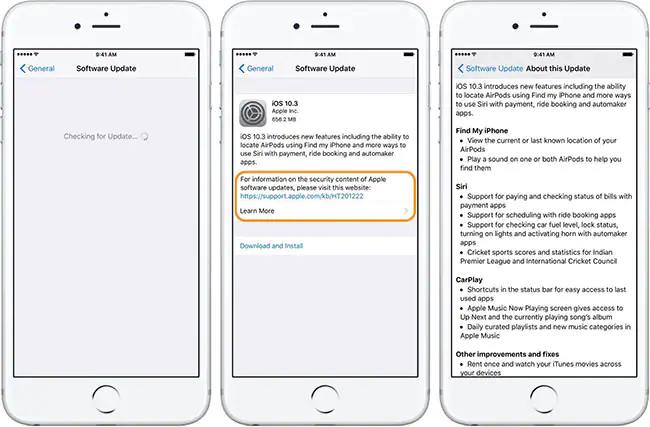
- Go to Settings on the iPhone. Click on General > Software Updates.
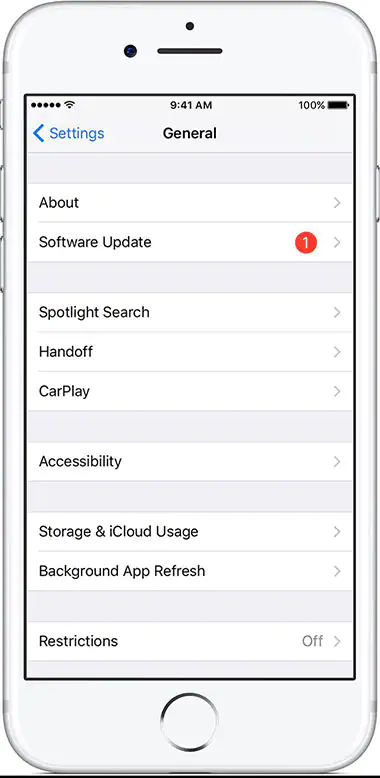
- Information regarding the updates and the software version will be displayed.
- Click on ‘Download and Install’ to install the updates on the iPhone.
5. Close All the Running Apps
The iPhone will overheat due to its high workload. The iPhone’s ability to overheat will be as much as possibly reduced by reducing the load from ongoing processes. Here’s how to end any unnecessary app running.
Advertisement
- Double-click on the home button and swipe away the apps that are no longer needed.
6. Check for iPhone Apps updates
In addition to the iPhone OS update, it’s critical that the iPhone apps are current. The reason is that system bugs that could cause iPhone overheating are frequently fixed by the latest upgrades for iPhone apps.
- Open the App Store. Tap Updates present at the bottom of the screen.
- Look for the updates. If there are more than one or two updates, click on update all.

7. Turn Off the Personal Hotspot
If the iPhone Personal Hotspot is left on for prolonged periods of time, it may cause the iPhone to overheat. The possibility of overheating increases with the number of connected devices to the hotspot.
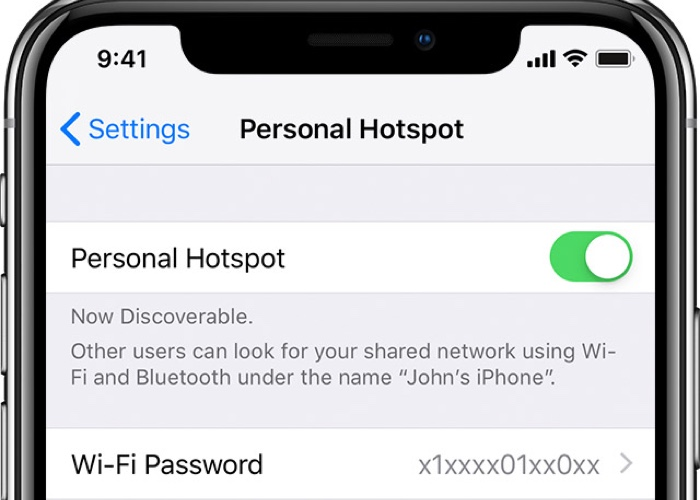
- Open Settings > Personal Hotspot.
- Click on the box next to “Personal Hotspot.” The box must turn grey to turn off.
8. Airplane Mode
Toggling airplane mode is one of the greatest ways to disable all background wireless components. This will turn off the functions and lessen iPhone overheating.
Advertisement
- Click on the Control Centre >> Airplane Symbol.

Read
How to Quickly Fix iPhone Battery Drain
9. Battery Usage
Advertisement
It can be difficult to keep track of some applications since they keep running after being closed. In these situations, look at the battery utilization to identify the programs that use more power than necessary and lead to overheating.
- Go to Settings > Battery.
- After some loading, the screen will present all the apps running in the background along with the battery usage. Close the apps that consume the most battery.

10. Reset Settings
Advertisement
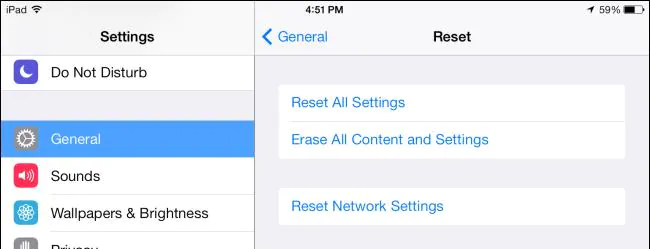
Resetting the settings is the suggested procedure to lessen the still present overheat issue while keeping the data. Several features, including the keyboard, location, home screen layout, language, and privacy, will be reset using this secure approach.
- Go to Settings > General > Reset > Reset All Settings.
- Tapping on the “Reset All Settings” will require a passcode. Enter the passcode and tap reset all settings.
11. Repair the iPhone
Even after attempting the aforementioned fixes, the iPhone may still be overheating because of a hardware issue rather than a software one. It’s possible that a damaged internal component is what’s overheating the device. Visit the neighborhood Apple store or an expert to get the iPhone fixed.
Advertisement
